Part 4 - Keep learning
Learning how to use documentation
We have seen several basic features offered by angr, from using the solver to implementing hooks, including handling standard input and output.
However, it will unfortunately not be possible to cover all of angr’s features in a single course, some of which are very interesting:
- Using the graph representation of basic blocks
- Concolic execution
- angr plugins in different programs: Ida Python plugin, gdb plugin …
Some of these may perhaps be the subject of a future course dedicated to angr’s advanced features, God willing.
In the meantime, you absolutely need to know how to find documentation about using angr. For that, several methods are possible.
angr’s official documentation
Well, to find documentation, we can already use the docs 🥸.

angr’s official documentation is located at this address: docs.angr.io. The site is fairly intuitive, you just need to use the search bar to look for an attribute, a method (function), or class in order to get more details.
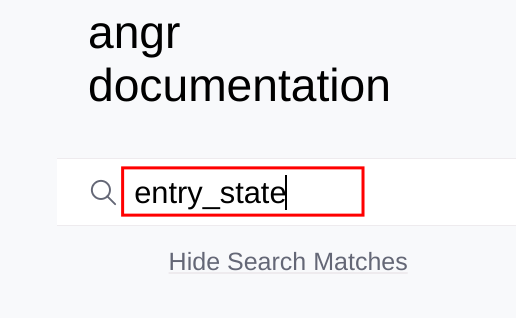
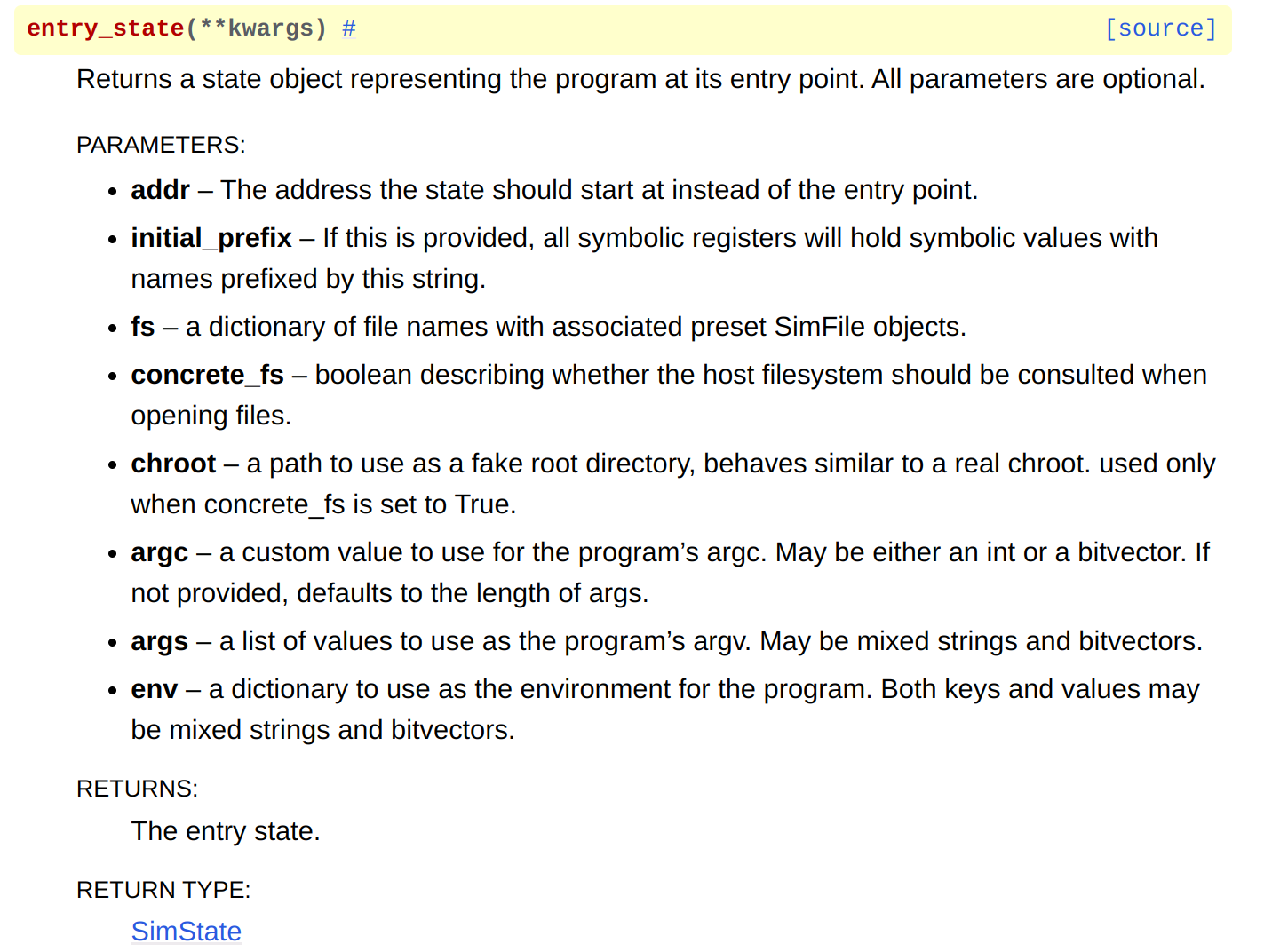
For methods, the documentation notably gives the different parameters that can be used when calling the function. For example, if I want to know which different parameters can be used when creating an entry_state, I just need to type:
By clicking the first link, we get the description of the different usable arguments:
Is it normal for the site to be very slow 🥵?
Yes, unfortunately the site is quite slow when doing searches… I get the impression that the issue is that the page takes a long time to load. I recommend stopping the page from loading once it seems to be loaded correctly, then doing a Ctrl+F on the function (or whatever else) you are looking for.
Using IPython
We have already talked about it, so I am not going to redo a section on this topic. I invite you to reread the relevant chapter if you need to refresh your memory ;).
Nevertheless, I still want to remind you that in an IPython terminal, when you type an expression like object. and then press TAB, it will display the methods and attributes of that object.
Using a search engine specialized in code search 🔎
This is a search method whose existence I unfortunately learned about very late (thanks CharlB, by the way).
This method is based on using sites, more precisely search engines, that return results related to your search by browsing GitHub repositories.
Obviously, this method is not only usable with angr, but with any type of code (function, class, structure …) about which you want to get details.
Here are the two main ones (there are surely others):
- grep.app: The site is rather well made and generally lets you find what you are looking for. It is also possible to filter by file type (
.py,.c,.yml…) - sourcegraph.com: The site is also fairly ergonomic. It can be used as a complement to grep.app because it sometimes manages to find what you are looking for in repositories that grep.app has not browsed
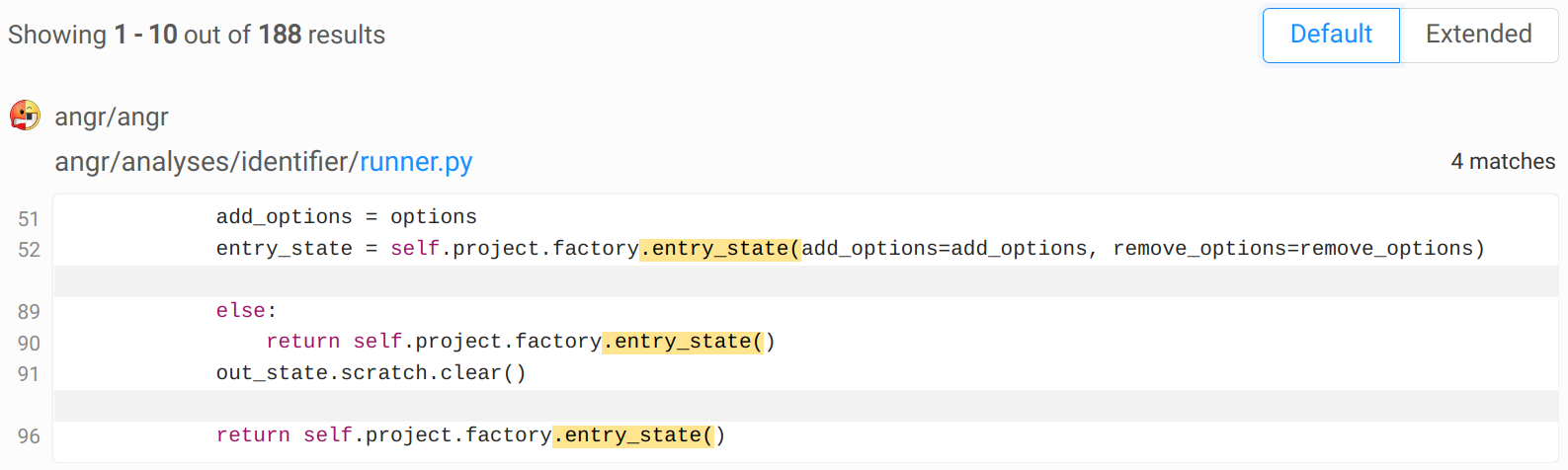
Using grep.app to search for information about entry_state, here is what we can get as results:
There you go! You no longer have any excuses not to become angr pros 💪!
Using AI
AI is very useful for creating angr scripts. I find that the scripts it generates are generally well made, even if, obviously, you often need to do a pass afterward.
On the other hand, if you ask it for a script that is far too complex, it may mess up, and you may end up losing even more time trying to understand where the bug in the script comes from.
Nevertheless, for basic scripts or for commands whose usage we have forgotten, it is really very useful (for instance, if you forgot how to read/write memory: Make me a script that reads 10 bytes at this address, then writes 8 bytes at that other address, all in little endian).
So AI should be seen as a tool that allows us, roughly speaking, to lay the first bricks of our script, which we will then need to finish by hand. Asking it for things that are too complex is, in my opinion, risky because it is possible to lose more time correcting it than by making the script yourself.
God knows best.